



|
Name |
AdGuard VPN |
|---|---|
|
Google Play Link |
GET IT ON
Google Play
|
|
Category |
Tools |
|
Developer |
AdGuard Software Limited |
| Last version | 2.16.4 |
|
Updated |
|
|
Compatible with |
Android 9+ |
Introduction to AdGuard VPN
AdGuard VPN is a utility app designed to protect your online privacy by hiding your real IP address and encrypting your internet traffic. Whether you're browsing, shopping, or using public Wi-Fi, AdGuard VPN ensures your online activity remains anonymous and secure. It’s available on multiple platforms including Android, iOS, Windows, and macOS, making it a versatile choice for anyone looking to safeguard their digital life.
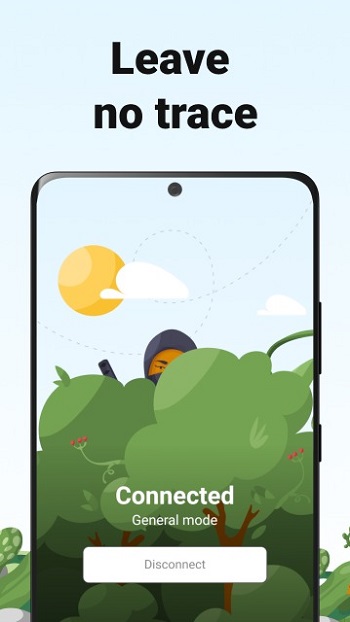
AdGuard VPN works by creating a secure tunnel between your device and its servers, masking your IP address and routing your traffic through a remote server. This means that websites and third parties can't track your online actions or pinpoint your physical location. With its strict no-logs policy, AdGuard VPN ensures that even the app developers don’t store your browsing history or personal data, making it an ideal choice for privacy-conscious users.
One of the standout features of AdGuard VPN is its proprietary VPN protocol, developed in-house for enhanced security and speed. Unlike other VPN services that rely on standard protocols, AdGuard's approach makes it harder for ISPs and websites to detect and block your VPN traffic. This means you can browse the internet without restrictions, even in places that typically block VPN usage. Whether you're trying to access restricted content or just want to remain anonymous, AdGuard VPN has you covered.
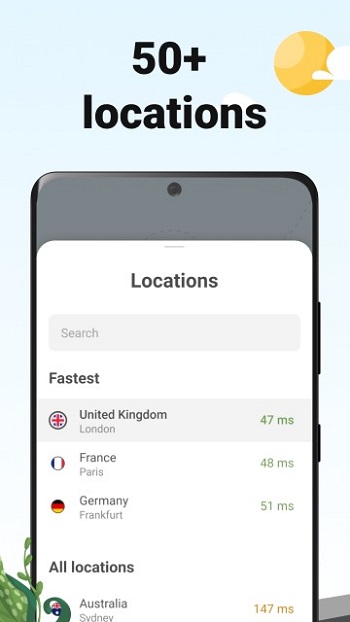
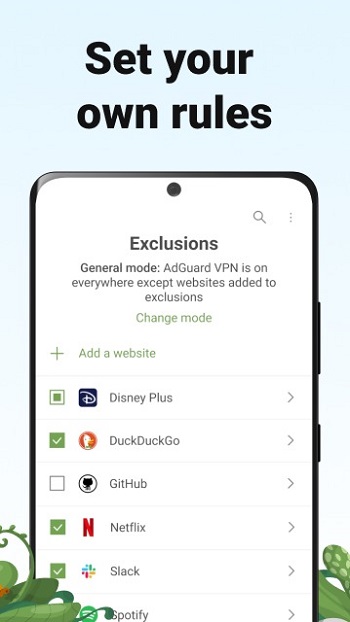
The app is incredibly easy to use. Simply download and install the app, choose a server location from its extensive list (with over 50 options worldwide), and connect. You can also configure the VPN to exclude certain websites or apps, giving you complete control over which services are protected. This feature is especially useful if you want to maintain access to a specific site while using a VPN for other activities.
AdGuard VPN’s premium version takes things further by allowing you to connect up to 10 devices simultaneously. Whether you're using a smartphone, laptop, or tablet, you can secure all your devices under one subscription. For those who need additional flexibility, the app allows you to choose between free and paid options, with the premium version offering unlimited data and more server locations.
Whether you're concerned about privacy on public Wi-Fi, want to bypass geo-restricted content, or just need an added layer of security, AdGuard VPN provides a straightforward solution. It offers fast and reliable connections, all while keeping your personal data protected. If you’re serious about maintaining your online anonymity, AdGuard VPN is a top-tier choice that won’t disappoint.
FAQs AdGuard VPN
What is AdGuard VPN?
+
AdGuard VPN is a privacy-focused app that hides your IP address, encrypts your internet traffic, and ensures safe browsing without tracking or logs.
How many devices can I use AdGuard VPN on?
+
With the premium version of AdGuard VPN, you can connect up to 10 devices simultaneously, offering great flexibility and security across multiple platforms.
Is AdGuard VPN free?
+
AdGuard VPN offers both a free and a paid version. The free version includes 3GB of data each month, while the paid version gives unlimited data and more server locations.
Can AdGuard VPN bypass geo-restrictions?
+
Yes, AdGuard VPN allows you to connect to servers in over 50 locations, helping you access geo-restricted content from anywhere in the world.
Does AdGuard VPN log my data?
+
No, AdGuard VPN has a strict no-logs policy. They do not collect or share any personal data, ensuring complete privacy while you browse.
Discover More Interesting Apps
-

App Hider
v3.16.5_4dd69689f
70.85 Mb
Updated -
Mod
Thunder VPN
v5.4.8
9.00 Mb
Updated -
Hik Connect
v7.0.200.1010
472.87 Mb
Updated -
App Lock
v6.5.0in
81.51 Mb
Updated -
Mod
Nzb360
v25.2
13.82 Mb
Updated -
Mod
CastDuo
v3.1.0
81.43 Mb
Updated -
PGT+
v0.26.4
6.00 Mb
Updated -
PDF Editor
v6.4.2
76.30 Mb
Updated -
Nebula Boost
v1.5.5
14.11 Mb
Updated -
Mixing Station
v3.2.0
32.67 Mb
Updated








Share Your Thoughts